 Kammzeit
You will find them under Settings in the menu, in the Booking rules section. Click Save after making a change.
| Setting | Options | Default |
|---|---|---|
| Minimum notice | immediately, or 30 minutes, 1 hour, 2 hours, 4 hours or 1 day before | 1 hour before |
| Cancellation deadline | until the appointment starts, or until 1 hour, 2 hours, 1 day or 2 days before | until the appointment starts |
| Booking window | 14, 30, 60, 90 or 180 days | 60 days |
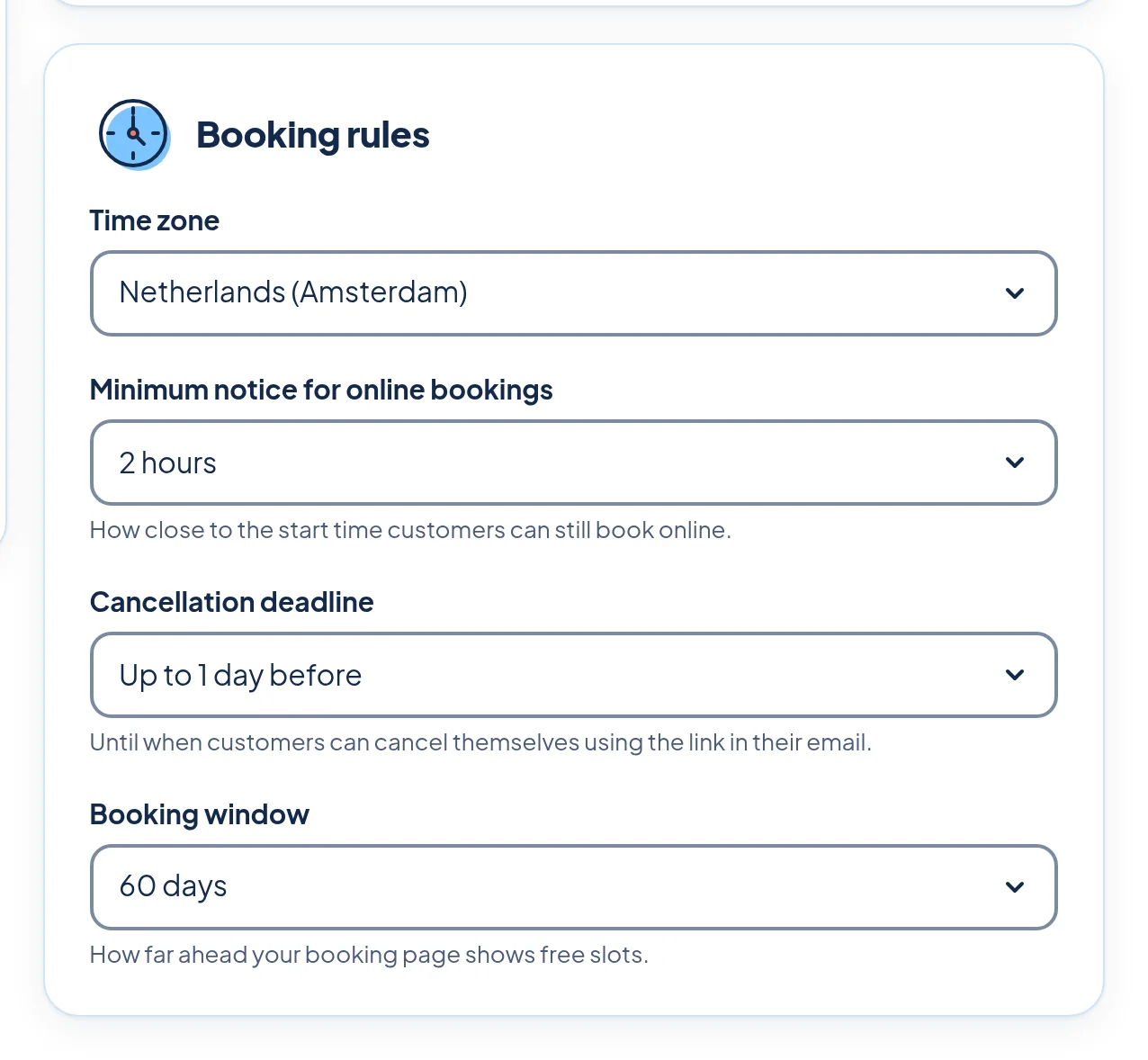
Minimum notice
The minimum notice stops a booking for ten minutes from now from catching you by surprise. With “2 hours before”, your booking page shows 11:00 as the first free time when it is 09:00. Customers who want to come sooner can call you, and you add the appointment to the calendar yourself.
Cancellation deadline
Until this point, customers can cancel themselves using the link in their email. If you set a deadline, it is shown on your booking page, in the confirmation and in the reminder. After the deadline, the cancellation page shows the phone number from your settings and asks the customer to call the salon.
Kammzeit cannot charge a cancellation fee, because customers pay nothing online.
Booking window
This is how far into the future your booking page shows free times. A short window (14 or 30 days) keeps you flexible if your hours change often. A long one (90 or 180 days) suits regulars who like to book their next appointment straight away.
Time zone
Also in the Booking rules section: the time zone of your salon. All times on your booking page, in emails and in the calendar are shown in this time zone. You can choose any EU country or Switzerland, so just pick the country your salon is in.